What Is a Computer Virus and How Does It Work?
There are many different types of computer viruses and all of them can be devastating. As they spread, they can steal personal information, cripple computer performance, and wreak all kinds of havoc. Discover what a computer virus is and how it works. Then learn how to protect yourself against viruses and other dangerous online threats with a comprehensive security solution like Avast One
What is a computer virus?
A computer virus is a type of malware that attaches itself to other programs, self-replicates, and spreads from one computer to another. When a virus infects a computer, it makes copies of itself and attaches to other files or documents. It then modifies those files and continues to spread.
Viruses infect computers discreetly, and they’re often designed to destroy personal files or gain control of devices. Making copies of themselves, computer viruses spread across devices and networks like biological viruses passing from one person to the next. And just like the biological versions, some computer viruses are simply annoying while others can cause major damage.
A computer virus is a type of malicious software that attaches itself to other programs, self-replicates, and spreads to other computers.
So, what’s the difference between a virus and malware (malicious software)? Virus is often a catch-all term used to refer to any kind of software created to be harmful. But a virus is just one type of malware, and the definition of a virus is that it’s a computer program that can self-replicate, infect other programs, and spread to other computers.
How do computer viruses work?
Computer virus is an umbrella term that includes many different types of viruses, delivery mechanisms, and impacts. To understand how computer viruses work, it’s helpful to split them into two categories: those that begin to infect and replicate as soon as they land on your computer, and those that lie dormant, waiting for you to unwittingly execute the code.
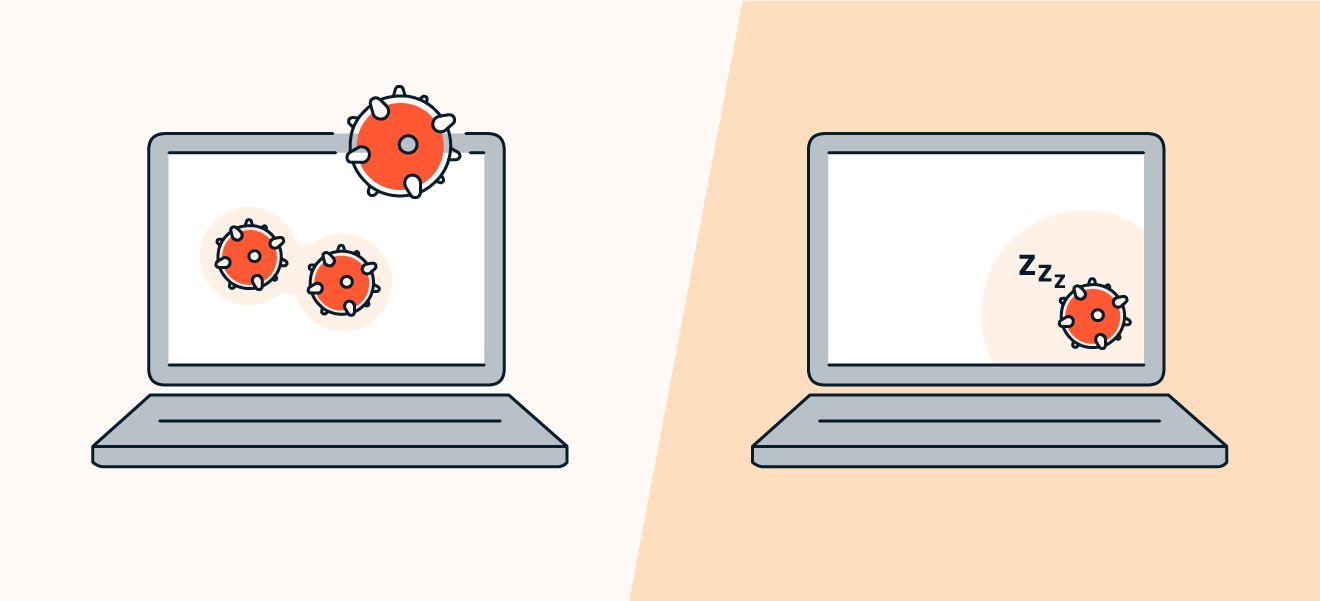
A computer virus can begin infecting your computer immediately, or it can wait for you to unwittingly trigger it.
Computer viruses have four phases (inspired by biologists’ classification of a real-life virus’s life cycle).
Dormant phase: This is when the virus is hidden on your system, lying in wait.
Propagation phase: This is the viral stage, when the virus begins to self-replicate, stashing copies of itself in files, programs, or other parts of your disk. The clones may be slightly altered in an attempt to avoid detection, and these copies will also self-replicate, creating more clones that continue to copy and spread.
Triggering phase: A specific action is generally required to trigger or activate the virus. This could be a user action, like clicking an icon or opening an app. Other viruses are programmed to come to life after a certain amount of time, such as a logic bomb designed to trigger after your computer has rebooted a certain number of times (this is done to obfuscate the origin of the virus).
Execution phase: Now the virus’s program is executed and releases its payload, the malicious code that harms your device.
How do computer viruses spread?
Typically, computer viruses spread through malicious online downloads, infected email attachments, or by plugging in infected hardware like an external flash drive (USB stick). Computer viruses can spread through almost any method of file sharing, as long as the virus can avoid detection by antivirus programs.
Here are some common ways computer viruses spread and can end up on your computer:
Emails: A common attack method of cybercriminals, emails like those used in phishing attacks can carry harmful attachments, malicious links, or even an infection right in the email body’s HTML.
Downloads: Hackers can hide viruses in apps, documents sent over file-sharing services, plug-ins, and most other places where files are available to download.
Messaging services: Viruses can be spread through SMS messages or messaging services like Facebook Messenger, WhatsApp, and Instagram. There, as with email, they also take the form of malicious links, attachments, or executable files.
Old software: If you don’t update your apps or operating system, you may be exposing yourself to vulnerabilities that cybercrooks can exploit to spread computer viruses.
Malvertising: Viruses can be hidden in online advertisements, such as banner ads delivered through ad exchanges. Malvertising lets perpetrators hide malicious code even in legitimate, trusted websites like the New York Times and the BBC, both of which have been hit.
Good computer hygiene and anti-malware tools can guard you against all of these attack vectors. So it’s important to keep your software updated, use strong passwords, and shield your device with strong cybersecurity software.
What computer viruses do
Computer viruses hijack your system’s code and resources in order to replicate, causing performance issues on all device types. When executed, a computer virus releases its payload and begins its attack. Almost immediately, you’ll start to see the impact of what computer viruses can do.
What can viruses do to your computer? Here are some of the effects they can unleash:
Slow or stuttering performance
Corrupted or deleted files
Incessant pop-ups or adware
Program failure and operating system crashes
A constantly spinning hard drive
Malfunctioning apps, files, and other programs
Aside from causing these negative performance issues, computer viruses can also steal personal data — such as usernames, passwords, and credit card details. Some viruses can spam all of your contacts and try to trick them into downloading the virus as well, which is another way they spread.